What this does:
Scan to Person allows items to be assigned directly to an individual. This is commonly used when issuing equipment, loaning assets, tracking responsibility, or recording who currently has possession of an item. All assignments are recorded within Transearch, providing a complete audit trail showing who received the item, when it was issued and why.
Scan to Person allows items to be assigned directly to an individual. This is commonly used when issuing equipment, loaning assets, tracking responsibility, or recording who currently has possession of an item. All assignments are recorded within Transearch, providing a complete audit trail showing who received the item, when it was issued and why.
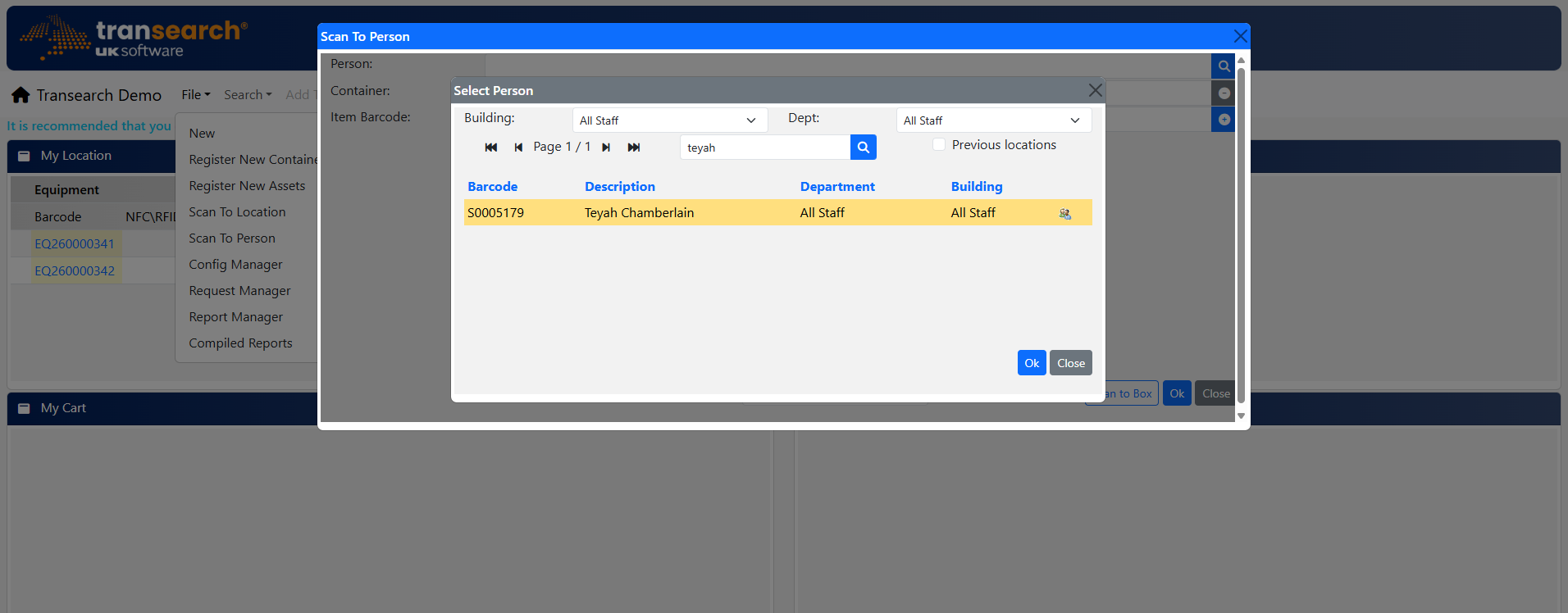
Select the person who will receive the item.
1. Select Person
Search for or select the individual receiving the item.
2. Confirm Person
Verify the correct person has been selected.
3. Scan Item Barcode
Scan or enter the item reference.
4. Review Item List
Check all scanned items before continuing.
5. Assignment Reason
Select a reason if prompted.
6. Set Loan Period
Specify how long the item is being issued for.
7. Complete Assignment
Save the transaction.
Scanning Items into a Container and then to a Person
1. Open Container Mode
Select Scan to Box
2. Scan Box Barcode
Identify destination container
3. Confirm Scan
Box scanned
4. Complete
Finish container assignment